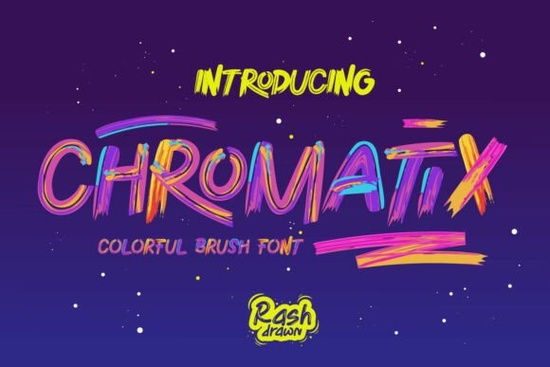
If you’ve ever spent hours layering colors or trying to mimic brush textures in your designs, you know how time-consuming it can be. That’s where Chromatix Font comes in a vibrant, hand-drawn color font that does the heavy lifting for you. Designed with authentic brush stroke textures and a multi-color palette built right into each character, Chromatix lets you type once and instantly get rich, eye-catching results without manual coloring or complex effects.
Whether you're designing t-shirts, social media graphics, posters, or branding materials, this OpenType-SVG font brings the energy of street art and contemporary illustration straight into your workflow. And if you're exploring more options in this style, you might also enjoy browsing other colorful fonts that share a similar creative spirit.
Who is Chromatix best suited for?
Chromatix isn’t just for professional designers it’s built for anyone who wants bold, expressive typography without needing advanced software skills. Here’s who benefits most:
- Print-on-demand sellers looking for standout text that grabs attention on mugs, apparel, or wall art.
- Small business owners creating flyers, logos, or packaging that needs personality and flair.
- Crafters and hobbyists making greeting cards, invitations, or digital scrapbook elements.
- Social media creators who want quick, colorful headlines for Reels, Stories, or YouTube thumbnails.
Because Chromatix is an OpenType-SVG font, it works seamlessly in compatible design programs like Adobe Illustrator, Photoshop (CC 2017+), Affinity Designer, and CorelDRAW. Just install it like any regular font, start typing, and the color and texture appear automatically no clipping masks, no gradient tools needed.
How does Chromatix save time compared to traditional methods?
Normally, achieving this look would require multiple steps: choosing base fonts, adding layer styles, applying gradients, masking brush overlays, and tweaking until it feels “handmade.” With Chromatix, all that detail is baked into the glyphs themselves. Each letter includes subtle variations in hue, stroke width, and texture just like real brushwork so your text feels dynamic and alive from the start.
This is especially helpful when you’re working under tight deadlines or managing multiple product listings. Instead of spending 20 minutes styling one headline, you can generate five variations in under a minute and still maintain visual consistency across your brand.
What makes Chromatix different from other brush fonts?
Many brush fonts are single-color outlines that rely on you to add color later. Chromatix skips that step entirely by using vector-based color layers embedded directly in the font file. The result? Crisp, scalable text that retains its vibrancy at any size ideal for both digital screens and high-resolution printing.
Plus, because it mimics spontaneous, energetic strokes (think graffiti meets gallery art), it avoids the overly polished look that can make designs feel generic. It’s playful but intentional, bold but not chaotic perfect for brands that want to feel approachable yet distinctive.
If you’d like to see how it compares to other options on the marketplace, you can explore more choices like Chromatix directly on Creative Fabrica.
Tips for using Chromatix effectively
To get the most out of this font, keep a few things in mind:
- Use it for short phrases. Like most display fonts, Chromatix shines in headlines, logos, quotes, or callouts not body text.
- Pair it wisely. Combine it with clean, neutral sans-serifs (like Montserrat or Lato) to let the color and texture stand out without visual competition.
- Check software compatibility. Not all apps support OpenType-SVG color fonts. Stick to updated versions of major design tools for full functionality.
- Avoid over-styling. Since the font already includes depth and variation, skip extra shadows or outlines unless you’re going for a very specific layered effect.
Remember, the goal is to enhance your message not overwhelm it. Chromatix works best when it complements your content, not distracts from it.
Ready to try it?
If you create visuals regularly and want to speed up your process while keeping your work fresh and expressive, Chromatix is worth testing in your next project. Before you buy, double-check your design software supports color fonts and consider grabbing a bundle if you plan to use it across multiple products or campaigns.
Quick checklist before using Chromatix:
- ✅ Confirm your software supports OpenType-SVG fonts
- ✅ Use uppercase or title case for maximum impact (lowercase letters may have less variation)
- ✅ Test print output if using for physical products colors may shift slightly based on printer profiles
- ✅ Keep background colors simple so the font’s gradients stay visible
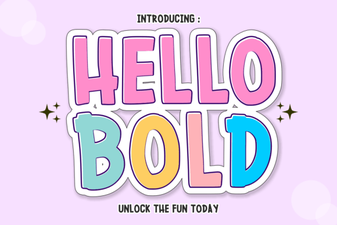 Hello Bold: Design Projects That Demand Attention
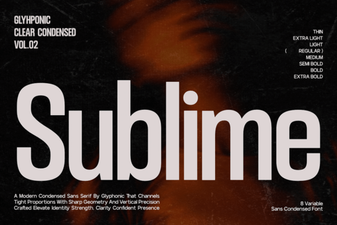 Discover the Sublime Font for Design & Usability
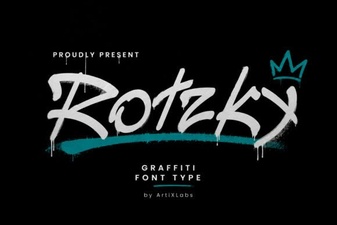 Rotzky Font for Creative Print Projects
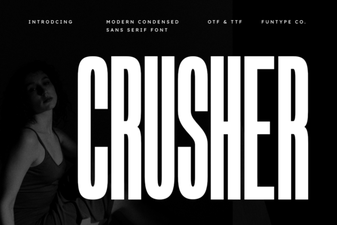 Crusher Font: Design Bold & Impactful Projects
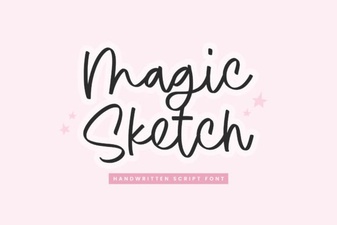 Creative Magic Sketch Font for Handmade Design Projects
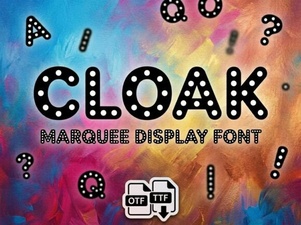 Cloak Font: Elegant Design Elements for Modern Projects