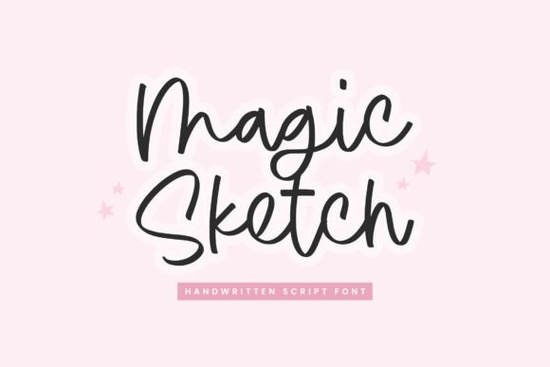
If you're looking for a handwritten script font that feels personal and expressive without sacrificing readability, the Magic Sketch Font from Timurtype Studio might be just what your next project needs. Designed to mimic the natural rhythm of pen-on-paper, it brings a sketch-like texture and subtle imperfections that give your work an authentic, handcrafted vibe perfect for quotes, invitations, logos, or any design where you want to add warmth and personality.
Unlike overly polished script fonts that can feel stiff or generic, Magic Sketch leans into its casual charm. The strokes vary slightly in weight and edge, echoing how real handwriting shifts as you move across the page. This makes it especially appealing for small businesses crafting brand identities, print-on-demand sellers designing greeting cards or apparel, and hobbyists creating personalized gifts.
What makes Magic Sketch stand out among handwritten fonts?
Many modern script fonts aim for elegance but Magic Sketch prioritizes approachability. It doesn’t try to look like calligraphy; instead, it captures the spontaneity of quick notes or doodled phrases. That balance of legibility and character is why it works well across both digital and print formats:
- Digital use: Looks great on social media graphics, blog headers, or website banners (thanks to included WOFF files).
- Print projects: Holds up beautifully in posters, packaging, or stationery with OTF and TTF support.
- Multilingual support: Covers a broad range of Latin-based languages, making it versatile for international audiences.
You’ll also find it pairs nicely with cleaner sans-serif fonts for contrast think pairing it with something minimal for a logo mark while using Magic Sketch for the tagline.
How does it compare to other casual script fonts?
If you’ve browsed Creative Fabrica’s script collection, you’ve likely seen options like Summer Notes, which leans breezy and light, or Fall Diary, with its cozy, journal-like feel. Coastal Angels offers airy loops and a relaxed coastal aesthetic, while La Cabane brings rustic charm with tighter spacing and vintage flair.
Magic Sketch sits comfortably in the middle it’s not as delicate as Coastal Angels, nor as structured as La Cabane. Its rougher edges and uneven baseline give it a more immediate, “just-written” energy. That makes it ideal when you want your message to feel spoken rather than staged.
Who should use this font and where?
This font shines in contexts where authenticity matters:
- Small business owners creating branded merchandise (mugs, tote bags, stickers) with handwritten-style slogans.
- Crafters designing wedding invitations, baby shower cards, or holiday tags who want a personal touch without hand-lettering everything.
- Content creators adding custom text overlays to videos or Instagram posts that feel conversational, not corporate.
- Teachers or bloggers making printable worksheets or quote graphics that feel friendly and inviting.
Because it includes standard OpenType features and works across major design platforms (like Canva, Adobe apps, and Silhouette Studio), you won’t run into compatibility issues just install and start creating.
Tips for getting the best results with Magic Sketch
To let the font’s organic nature shine:
- Avoid heavy kerning adjustments its slight irregularities are part of the charm.
- Use generous line spacing if stacking multiple lines; the ascenders and descenders need room to breathe.
- Pair it with neutral backgrounds (soft paper textures, muted pastels) so the sketch texture remains visible.
- For print, test at actual size first very small point sizes may lose some of the fine stroke details.
And remember: while it’s playful, it’s still highly readable. That’s a rare combo in the world of decorative scripts.
Before you download, consider how it fits your current style library. If your go-to fonts lean minimalist or geometric, Magic Sketch can add welcome contrast. But if your designs already feature lots of hand-drawn elements, check whether it complements or competes with what you’re using like other expressive scripts in your toolkit.
Ready to try it? Install the OTF or TTF file, open your favorite design app, and type a short phrase maybe a quote, a product name, or a heartfelt note. See how it feels. If it sparks ideas, you’ve found a new creative companion.
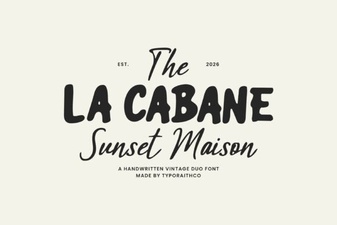 La Cabane Font for Creative Projects and Design
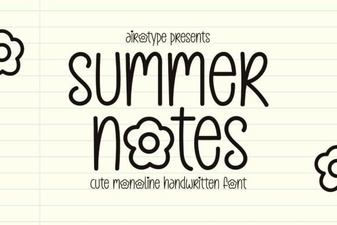 Creative Fonts for Your Summer Project Designs
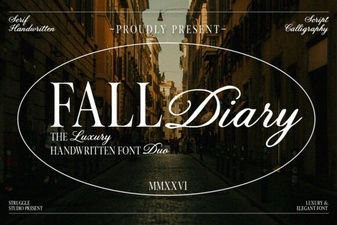 A Creative Fall Diary Font for Your Seasonal Projects
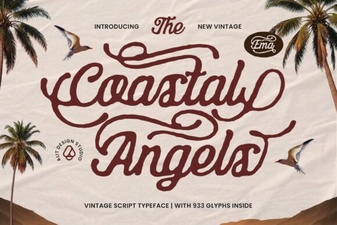 Coastal Angels Font: Designs for Seaside Projects
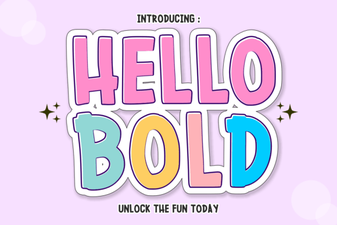 Hello Bold: Design Projects That Demand Attention
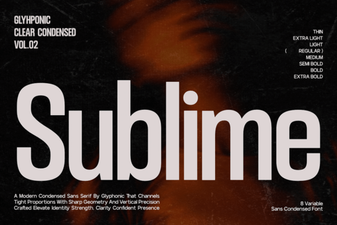 Discover the Sublime Font for Design & Usability