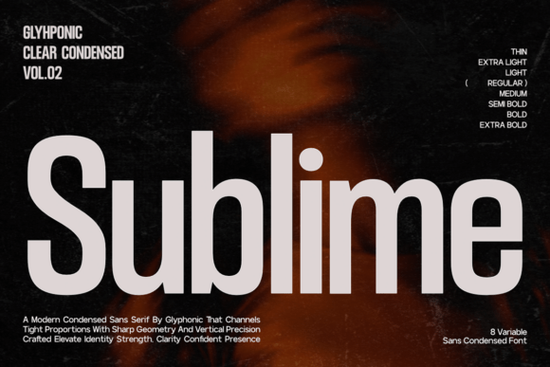
If you're looking for a clean, modern font that works beautifully in tight spaces without sacrificing impact, the Sublime Font is worth your attention. Designed with vertical efficiency in mind, Sublime is a condensed sans serif that balances sharp geometry with a tall x-height making it highly legible even at smaller sizes or from a distance. Whether you're crafting a sleek logo, designing a tech startup’s app interface, or laying out a magazine spread, this typeface brings a sense of quiet confidence and architectural precision to your work.
What makes Sublime especially versatile is its range: it includes 8 variable weights, from Thin to Extra Bold. This means you can maintain visual consistency across everything from delicate subheadings to bold hero text all within the same font family. For designers who value cohesion and minimalism, that’s a real advantage.
Where does Sublime Font work best?
Because of its condensed structure and strong vertical presence, Sublime shines in contexts where space is limited but clarity is non-negotiable:
- Editorial design – Think magazine covers, feature headlines, or pull quotes where every millimeter counts.
- Corporate branding – Its clean lines and professional tone suit law firms, fintech companies, or consulting agencies aiming for a polished look.
- Digital interfaces – UI/UX designers will appreciate how well it scales on screens, especially in dashboards or mobile apps.
- Cinematic or event posters – The tall, narrow letterforms create dramatic tension without cluttering the layout.
It’s also a solid pick for print-on-demand sellers creating minimalist wall art, branded apparel, or packaging labels especially when you want your typography to speak louder than ornamentation.
How does it compare to other modern sans serifs?
Not all condensed fonts offer the same balance of elegance and readability. While Kloe leans into soft curves and approachability, and Crusher delivers bold, industrial energy, Sublime occupies a middle ground: restrained but authoritative. If you’ve used Fattura, you’ll recognize its editorial flair but Sublime feels more architectural, less decorative. And unlike Quicksend, which favors speed and informality for digital messaging, Sublime is built for permanence and presence.
Each of these fonts has its place, but if your project calls for something that feels both contemporary and timeless with zero visual noise Sublime stands out.
Is Sublime Font easy to use for non-designers?
Absolutely. Even if you’re a small business owner using Canva, a hobbyist making custom mugs, or a crafter designing SVG files for Etsy, Sublime’s straightforward forms make it beginner-friendly. Because the characters are tall and tightly spaced, you don’t need advanced typographic skills to get professional-looking results. Just avoid cramming too much text into body copy this font is optimized for display use, not long paragraphs.
Pro tip: Pair it with a neutral, open sans serif (like Inter or Lato) for body text to create contrast while keeping the overall aesthetic clean.
You can explore the full range of weights and test how it looks in your own projects by checking out the official listing: Sublime Font.
When should you not use Sublime?
While versatile, Sublime isn’t ideal for every scenario:
- Long-form reading – Its condensed nature can strain eyes in blocks of text.
- Playful or whimsical brands – It lacks the bounce or warmth needed for children’s products or casual cafes.
- Low-resolution printing – Very thin weights may disappear on cheap paper or small stickers.
In those cases, consider a more open or expressive alternative from Creative Fabrica’s collection.
Before you commit, ask yourself: Does my project benefit from quiet strength over loud personality? If yes, Sublime could be your new go-to.
Quick checklist before downloading:
- ✅ Confirm you need a condensed font (not just a narrow one).
- ✅ Check that your use case is primarily headlines, logos, or short text.
- ✅ Ensure your software supports variable fonts (most modern design tools do).
- ✅ Preview it at your intended size especially if using Thin or Extra Bold weights.
If those boxes are ticked, Sublime Font is likely a smart, stylish addition to your creative toolkit.
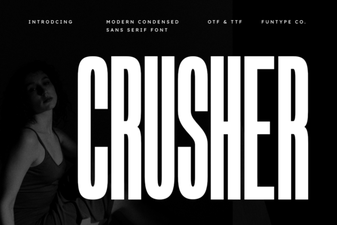 Crusher Font: Design Bold & Impactful Projects
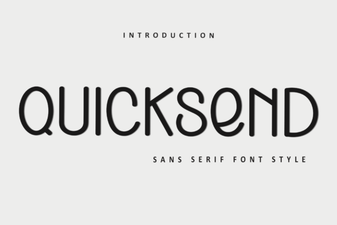 Quicksend Font: Style Your Digital Messages
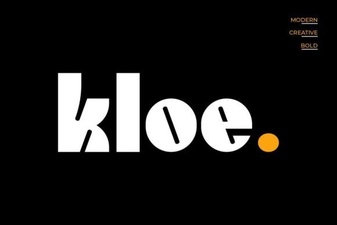 Kloe Font: Designing Clear and Creative Interfaces
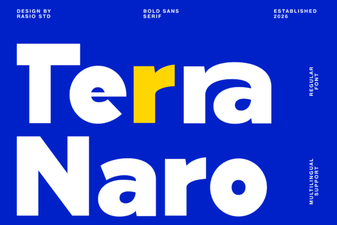 Terra Naro Font: Creative Design Ideas & Projects
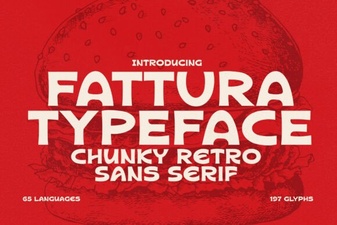 Fattura Font: Crafting Timeless Brand Identity
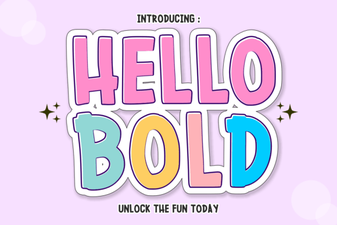 Hello Bold: Design Projects That Demand Attention